Core Web Vitals explained in plain language
What the three Core Web Vitals measure, the numbers Google says to aim for, how to check your own site, and the fixes that usually matter most.
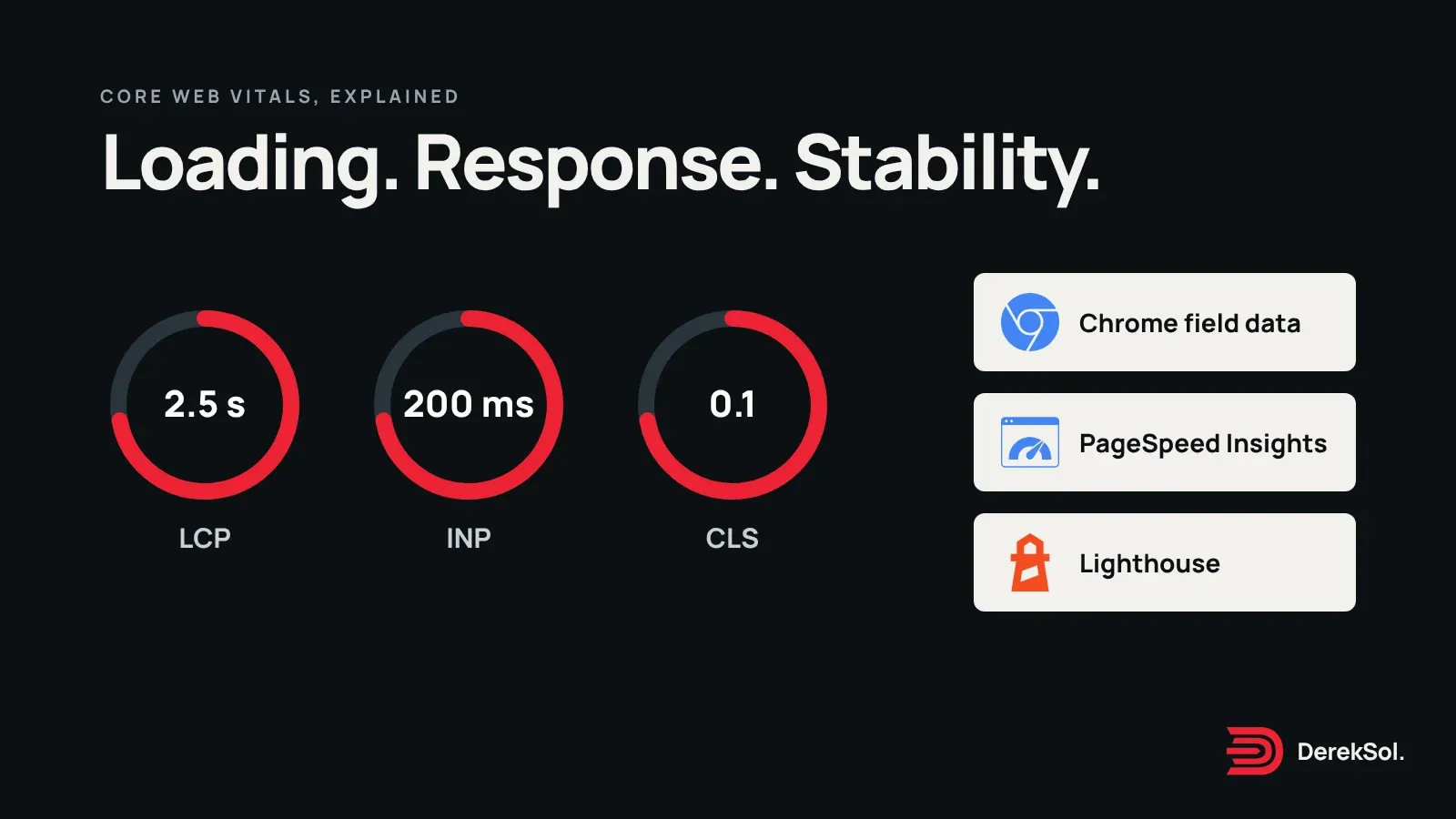
Core Web Vitals are three measurements of how a page feels to use: how quickly the main content appears, how quickly the page responds when you tap it, and whether things jump around while it loads. Google publishes target numbers for each. This article explains what they mean, how to check them, and what to change.
We have tried to write it in the spirit of an old definition of clear speech, from the book on eloquence by al-Jāḥiẓ (d. 255 AH / 868–9 CE):1
«وَالْبَيَانُ اسْمٌ جَامِعٌ لِكُلِّ شَيْءٍ كَشَفَ لَكَ قِنَاعَ الْمَعْنَى، وَهَتَكَ الْحِجَابَ دُونَ الضَّمِيرِ»
“Clear expression (bayān) is a name that gathers everything that lifts the mask from a meaning for you, and tears away the veil that hides what is in the mind.”
الجاحظ، «البيان والتبيين»، ج ١، ص ٨٢
What are the three Core Web Vitals?
Each measure has a good range, a poor range, and a band in between that needs improvement.2345
The three Core Web Vitals and their thresholds
Measured at the 75th percentile of visits, separately for mobile and desktop.
Largest Contentful PaintHow long until the main content is visible
Interaction to Next PaintHow quickly the page responds to a tap or click
Cumulative Layout ShiftHow much the layout moves while loading
LCP is the time from the start of loading until the largest piece of content in view, usually a headline, a photo or a video poster, has appeared. A page can start drawing early and still have a slow LCP if the large image arrives late.
INP looks at interactions: taps, clicks and key presses. It reflects how long the page takes to show a response, so a heavy script that keeps the browser busy makes it worse. The 200-millisecond target sits close to a limit described long before the metric existed. Jakob Nielsen wrote in 1993 that “0.1 second is about the limit for having the user feel that the system is reacting instantaneously.”6
CLS scores unexpected movement. You have felt a bad one: you go to tap a button, an image loads above it, the page shifts, and you tap the wrong thing.
“Good” means most visits, not the average
web.dev advises measuring at the 75th percentile of page loads, separately for mobile and desktop. A page passes when it meets the targets for all three measures at that point.2 In plain terms, three out of four visits should be at least as good as the target. One fast test on your own laptop does not show that.
Do Core Web Vitals affect search rankings?
Google’s Search documentation says: “We highly recommend site owners achieve good Core Web Vitals for success with Search,” and adds that this, along with other page experience aspects, “aligns with what our core ranking systems seek to reward.”7 That is a recommendation, not a promise of rank. Content relevance still matters, and good scores do not guarantee a higher position. The simpler reason to care is that slow, jumpy pages are worse to use.
Two kinds of data, and why they differ
- Field data comes from real visits by Chrome users. It reflects real phones and real networks, and it is what the 75th percentile rule applies to. A small or new site may have too little traffic to appear in it.
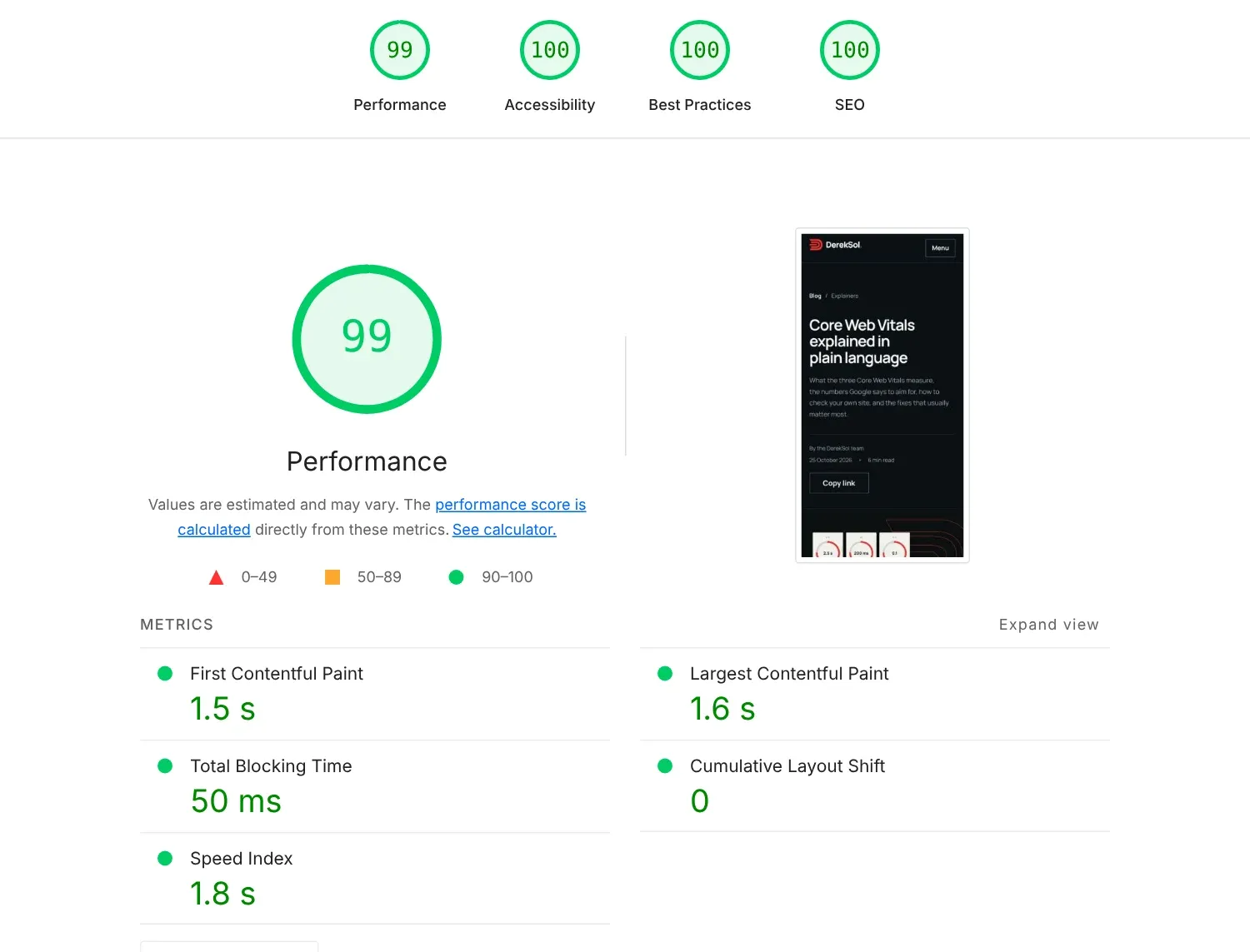
- Lab data comes from a test run on a simulated device, such as Lighthouse. It is good for finding problems and checking fixes, but it is one controlled visit, not the experience of your visitors.
When the two disagree, trust the field data for how you are doing and use lab data to work out why.
How do you check your own site?
- Run your page through Google’s PageSpeed Insights, which shows field data when available and a lab test beside it.
- Test the mobile result first. Mobile is usually where sites fail.
- Look at which of the three measures is failing before you change anything.
- Re-test after each change, one at a time.
What usually fixes each one
Most fixes come down to sending less, sooner. The Spanish Jesuit Baltasar Gracián put the principle in 1647, writing about conversation:8
«Lo bueno, si breve, dos vezes bueno.»
“Good things, if brief, are twice as good.”
How the loading time of the main content should divide
web.dev’s guideline for the four parts of Largest Contentful Paint. The two red parts are waiting; keep them close to zero.
LCP. web.dev splits LCP into four parts: time to first byte, resource load delay, resource load duration and element render delay. Its suggested guideline is roughly 40% on the first byte, under 10% on load delay, about 40% on load duration and under 10% on render delay, and it warns against turning those shares into fixed millisecond targets.9 Two practical points from the same page: do not lazy-load the image that is likely to be your LCP element, and mark it with fetchpriority="high", sparingly, because setting it on more than one or two images weakens the hint.9
INP. Reduce the amount of JavaScript the browser has to run, and break up long tasks so the page can respond between them. If you use a site builder or many plugins, check what each one adds.
CLS. Set width and height on images and video so the browser reserves space before they load, and avoid inserting banners above content that has already appeared.
What not to do
- Do not judge your site from a single test.
- Do not hide content from the test or serve a simplified version to testers. The scores then describe something your visitors never see.
- Do not treat a green score as the finish. Check that the page also reads well and that forms work.
When to ask for help
If the failing measure comes from your platform’s code and you cannot change it, that is a sign you may need a different setup. See our comparison of website builders for the trade-offs, and how to choose a web designer for questions to ask. For the wider picture of how many sites pass today, read our analysis of the 2025 Web Almanac.
Chrome, PageSpeed Insights and Lighthouse are Google products; their names and logos are trademarks of Google LLC. DerekSol is not affiliated with Google.
References
Footnotes
-
al-Jāḥiẓ (d. 255 AH). al-Bayān wa-l-tabyīn, vol. 1, p. 82 (printed page number), “Bāb al-bayān”. Read in the Shamela digital library, book 10614; Shamela does not record the publisher or editor of this edition. ↩
-
web.dev. Web Vitals. Last updated 31 October 2024; read 25 October 2026. ↩ ↩2
-
web.dev. Largest Contentful Paint (LCP). Last updated 4 September 2025; read 25 October 2026. ↩
-
web.dev. Interaction to Next Paint (INP). Last updated 2 September 2025; read 25 October 2026. ↩
-
web.dev. Cumulative Layout Shift (CLS). Last updated 12 April 2023; read 25 October 2026. ↩
-
Jakob Nielsen. Response Times: The 3 Important Limits. Nielsen Norman Group, 1 January 1993, excerpted from his book Usability Engineering. Read 25 October 2026. ↩
-
Google Search Central. Understanding Core Web Vitals and Google search results. Last updated 10 December 2025; read 25 October 2026. ↩
-
Baltasar Gracián. Oráculo manual y arte de prudencia (Huesca: Juan Nogués, 1647), aphorism 105, “No cansar”. Read in the textos.info transcription, which keeps the original spelling. ↩
-
web.dev. Optimize Largest Contentful Paint. Last updated 31 March 2025; read 25 October 2026. ↩ ↩2